
Explore. Discover.
Enjoy Sportzfy.
Everything you need to know about Sportzfy, bringing you closer to a better experience.
Download Sportzfy APK
Is Sportzfy APK Safe? Check Before Installing
Installing an APK can be useful when an app is unavailable through the Play Store. However, downloading Android files from unfamiliar websites also creates security risks. Before installing Sportzfy, take a few minutes to check the source, file, and permissions.
This guide explains what to check before installation, which warnings deserve attention, and what to do if something looks suspicious. These steps cannot guarantee an app is safe, but they can help you avoid common mistakes.
Download from a Source You Can Verify
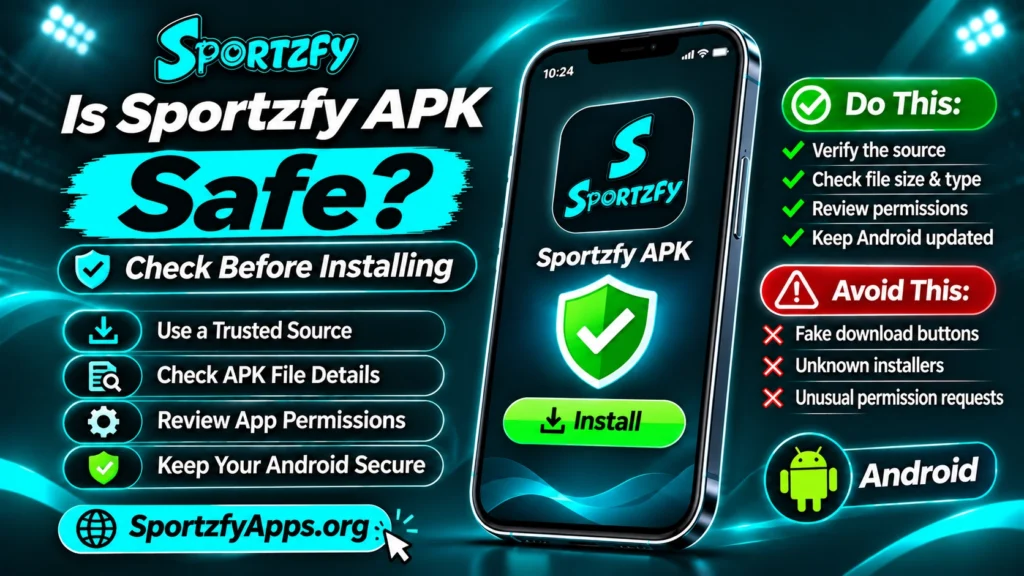
The first safety check starts before downloading.
- Click here to download Sportzfy app.
- Avoid copied links from random comments or messages.
- Do not download files from pop-ups or unrelated pages.
- Be careful with pages that open several new tabs.
- Check whether the download button leads to the expected APK.
A fake button may download another app, an installer, or an unrelated file. If the page keeps redirecting you, close it instead of continuing.
Check the APK File Before Installing
After downloading, check the file name and extension. An Android installation file normally ends in .apk. If the file ends in .exe, .zip, or another unexpected extension, do not install it as an APK.Also check its size. A file that is unusually small or different from the expected version may be incomplete or incorrect. File size alone cannot prove safety, but it can reveal a suspicious download.
If the download stops midway, delete the incomplete file and download it again from a verified source.
Understand Android Security Warnings
Android may show a warning when installing an app outside Google Play. This warning does not automatically prove that an APK contains malware. It means Android is asking you to pay attention to the installation source. Google Play Protect can scan apps and warn about potentially harmful software. Keep it enabled and review any warning carefully.
If Play Protect identifies sportzfy tv or its APK as harmful, do not ignore the alert just to complete installation. Stop and investigate. Disabling security protection to force an installation is not a sensible safety shortcut.
Review Permissions Before Allowing Access
An app should request permissions that make sense for its functions. For example, an app may need internet access to load online content. However, requests for contacts, SMS, microphone, or location deserve closer attention when they are unrelated to the app’s purpose. On Android, you can review permissions through Settings:
- Open Settings on your phone.
- Select Apps or App Management.
- Open Sportzfy latest version if it is installed.
- Select Permissions.
- Review each permission and deny anything unnecessary.
Avoid Fake Download Buttons and Extra Installers
Some download pages display several buttons. Not every button downloads the actual application. Ads may imitate download links and lead to unrelated files.
Before tapping, check the link destination when your browser allows it. Avoid pages that ask you to install a separate downloader, cleaner, or unknown helper app just to obtain an APK.
You should not need to share your password, payment details, or personal information on a download page. If a page demands these details unexpectedly, leave it.
What to Do After Installing the App
A careful installation does not end when the app opens. Watch how it behaves.
- Check whether it displays unexpected pop-ups.
- Notice whether it requests new permissions.
- Review battery and data usage if something seems unusual.
- Remove the app if it behaves suspiciously.
- Run a security scan and keep Android updated.
If Sportzfy apk for android crashes or fails to open, do not immediately install random APK versions. First check device compatibility, file integrity, and available storage. Repeated downloads from unknown sources can increase risk rather than solve the problem.
How to Uninstall an App Safely
If you no longer trust an installed APK, remove it.
- Open Settings.
- Go to Apps.
- Select the installed app.
- Tap Uninstall.
- Confirm the removal.
Afterward, run Play Protect and review other recently installed apps. If you entered sensitive information after installing a suspicious app, consider changing relevant passwords from a trusted device.
Final Safety Checklist
Before installing Sportzfy TV APK, confirm these points:
- The download source is identifiable and trustworthy.
- The file is actually an APK.
- The download completed without errors.
- Play Protect is enabled.
- You understand the permissions requested.
- You are not ignoring a malware warning.
- You can uninstall the app if necessary.
No checklist can guarantee that an APK is completely safe. However, checking the source, file, permissions, and device warnings gives you a more informed decision than installing blindly..