
Download Sportzfy APK v32.0
for Android & Smart TV
Bring sports entertainment closer to your screen. Download Sportzfy APK v32.0 and explore installation details, supported devices, and everything you need before installing.
Download Sportzfy APKCoverage
Smart TV
Version v32.0
Sportzfy APK Download Details
Before downloading an application, checking its basic information is important. It helps you understand the file and prepare your device properly. Here are the available details.
| App Information | Details |
|---|---|
| Application Name | Sportzfy |
| Latest Version | v32.0 |
| File Size | Approximately 15.2 MB |
| Android Requirement | Android 5.0 or higher |
| App Price | Free |
| File Format | APK |
| Category | Sports |
| Compatibility | Android devices |
These details provide a quick overview before installation. However, file information can change with future releases. Therefore, always check the version and file size before downloading.
Download Sportzfy APK for Android
Android users can install applications through different methods. The Google Play Store is the standard option for supported applications. However, APK files provide another installation method when applications are distributed outside the store.
To download Sportzfy App for Android, first check your device’s available storage. Make sure your internet connection remains stable during downloading. A stable connection helps prevent incomplete files and interrupted downloads.
Afterward, locate the APK file in your browser’s download section. You can also find it inside your device’s Downloads folder. Check the file name and version before continuing.
Avoid downloading files from unfamiliar websites. Some unofficial APK sources may distribute modified or potentially harmful applications. Consequently, choosing a trustworthy source is important for protecting your device.
How to Install Sportzfy APK on Android
Installing an APK requires a few additional steps. Android may ask you to allow installation from your browser or file manager. This permission depends on your device’s security settings.
Follow these general installation steps:
| Installation Steps |
|---|
| Download the Sportzfy APK file from your chosen source. |
| Open your browser’s Downloads section. |
| Select the downloaded APK file. |
| Review Android’s installation permission prompt. |
| Allow installation from that source if necessary. |
| Return to the APK file and continue installation. |
| Wait until Android completes the installation. |
| Open the application if installation finishes successfully. |
Android versions may display slightly different settings. Therefore, follow the instructions shown on your device. After installation, you can disable the temporary installation permission. This helps limit unnecessary access for future downloads.
Sportzfy APK for Android TV
Android TV users may prefer sportzfy apk 2026 latest version applications designed for larger screens. However, installing an APK on a television can require additional preparation. Before attempting installation, confirm that your television supports Android applications. Also, check whether the application interface works properly with your remote control.
Some Android TV devices allow APK installation through a file manager. Others may require transferring the file using external storage. Remember that installing an APK does not guarantee complete television compatibility. Navigation, display proportions, and remote controls may behave differently across devices.
Sportzfy APK on FireStick
FireStick users sometimes explore APK installation methods for applications unavailable through their usual app store. However, compatibility depends on the device model and application support. Before installing sportzfy download on FireStick, consider whether its interface supports television navigation properly. An APK designed primarily for Android phones may not provide an optimized television experience.
Before installing the application on FireStick, check its compatibility and installation requirements. You should also review the permissions requested during installation. Avoid granting unnecessary access to personal information or device features.
Compatibility and Requirements
Device compatibility is one of the most important considerations before downloading an application. The listed Android requirement for Sportzfy tv app is Android 5.0 or higher. Nevertheless, meeting the minimum operating system requirement does not guarantee identical performance across every device. Your device’s available memory, processor, storage space, and internet connection can affect the overall experience.
For a smoother installation process, consider these preparations:
These basic checks can help reduce installation difficulties.
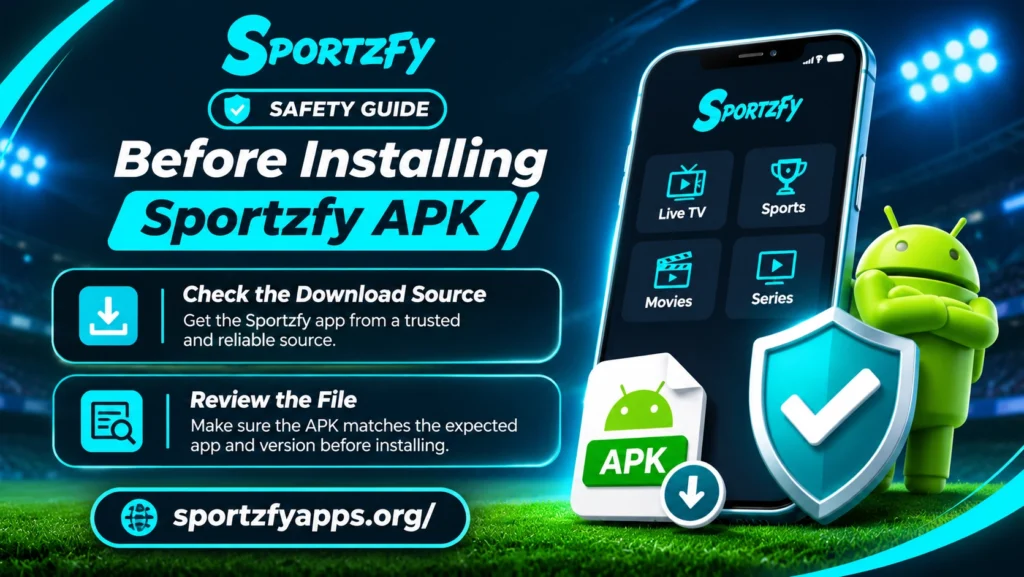
Before Installing Sportzfy APK
Downloading an APK requires more attention than installing an ordinary store application. Android’s security features help protect users from potentially unsafe files. Therefore, consider the following precautions before installing the application.
Check the download source
Download sportzfy app ইনস্টল from a source you can reasonably trust. Avoid unfamiliar websites offering suspicious download buttons.
Review the file
Confirm that the APK matches the expected application and version. Unexpected file names or extensions deserve additional attention.
Check permissions
Review the permissions requested during installation. Consider whether each permission is relevant to the application’s purpose.
Keep Android protected
Maintain your device’s security updates and avoid disabling security protections unnecessarily.
Understand application distribution
Sportzfy for Apple version may be distributed independently of official app stores. Consequently, its availability does not automatically confirm its safety, authenticity, or licensing.
These precautions help you make a more informed installation decision.
Final Thoughts
Sportzfy TV offers an alternative way to explore sports entertainment on compatible Android devices. Before downloading, users should understand the installation process, device requirements, and potential compatibility limitations. Whether you use a smartphone, Android TV, or FireStick, checking these details beforehand can help you make a more informed decision. Remember that device compatibility and playback quality may vary. If you plan to Download Sportzfy APK, review the available file information carefully. A thoughtful installation begins with understanding what you are installing and whether your device supports it.