
Explore. Discover.
Enjoy Sportzfy.
Everything you need to know about Sportzfy, bringing you closer to a better experience.
Download Sportzfy APK
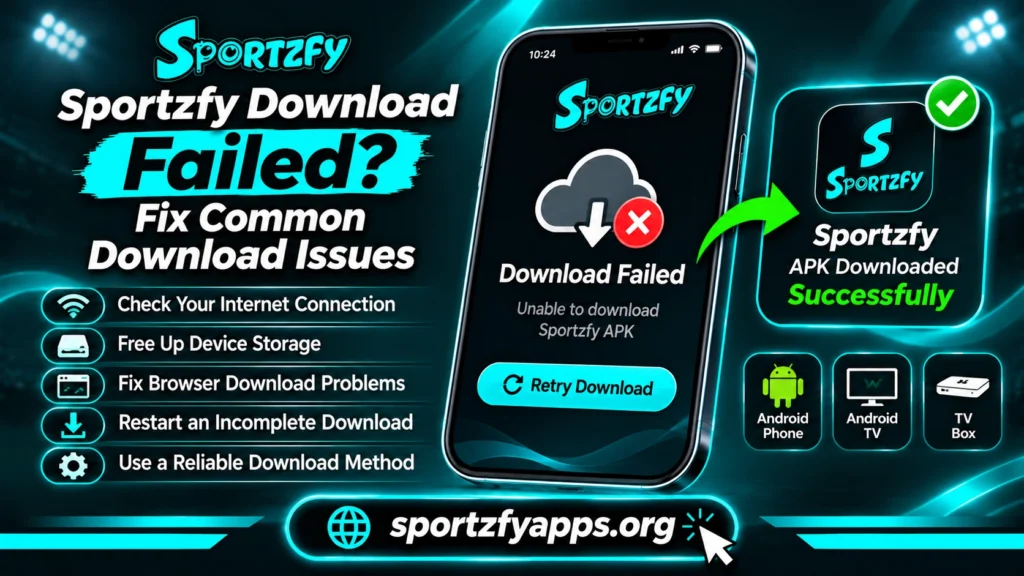
Sportzfy Download Failed? Fix Common Download Issues
Downloading an APK should not take several attempts. However, a failed download can happen because of a weak connection, browser restrictions, low storage, or an interrupted file transfer. If your Sportzfy download keeps stopping, the problem may be with the download process rather than the application itself.
This guide explains practical checks for failed downloads on Android phones and Android TV. Follow the steps in order, so you can identify the cause without installing random files or changing unnecessary settings.
First, Identify What Is Actually Failing
Before trying another download, notice where the process stops.
- Page does not open: Check the website address and internet connection.
- Download never starts: The browser may block the request or the download button may not work.
- Download stops midway: Your connection may be unstable or storage may be insufficient.
- File downloads but will not install: The APK may be incomplete or incompatible.
This distinction matters. A download problem and an installation problem require different fixes.
Check Your Internet Connection
A weak or unstable connection is one of the most common reasons an APK download fails. Even when other websites open, a large file may stop during transfer. Switch between Wi-Fi and mobile data if possible. This simple test can resolve many Sportzfy apk download interruptions. Restart your router when several devices experience connection problems. If you use a VPN, temporarily disconnect it and retry only if the download source is accessible without it.
When downloading apk, avoid switching networks halfway through. Keep the connection stable until the file finishes.
Make Sure Your Device Has Enough Storage
Android needs space to save the APK. It may also need additional temporary space during installation.
Open Settings → Storage and check available space. Remove unnecessary downloads or large files if storage is nearly full. Do not delete application data blindly; it can remove saved preferences or other local information.
After freeing space, retry the Sportzfy app download once.
Fix Browser Download Problems
Sometimes the download button opens a new page instead of starting the file. Pop-ups, redirects, or browser restrictions can interrupt the process.
Try these steps:
- Open the download page in another trusted browser.
- Disable unnecessary content-blocking extensions temporarily.
- Check the browser’s Downloads section for a paused file.
- Allow the download if Android displays a confirmation.
- Avoid clicking multiple download buttons repeatedly.
If the page shows several buttons, verify which one is the actual APK link. Fake download buttons can lead to advertisements or unrelated files.
Restart a Stuck or Incomplete Download
A file that stops at a particular percentage may be incomplete. Installing it can produce errors such as “App not installed” or “There was a problem parsing the package.” Cancel the incomplete Sportzfy tv app download and remove only that unfinished file. Restart your browser, then download the package again from a trusted source. Do not rename an incomplete APK or assume it is ready because a file appears in Downloads. Check that the transfer has completed.
Download on Android TV
Android TV users may face additional browser or remote-navigation limitations. If the TV browser cannot download the APK, use a compatible Downloader app or transfer the file through USB when the device supports it.
For a Downloader setup:
- Install a compatible downloader from the Play Store.
- Enter the verified download page address.
- Wait for the file to finish downloading.
- Open the APK from the downloader or file manager.
- Allow installation permission only for that app if Android requests it.
If Sportzfy apk lastets version does not download through the TV browser, changing the download method may help. However, confirm that your TV runs Android TV or Google TV; other television systems cannot install Android APKs directly.
Check Whether the Downloaded APK Is Compatible
A completed download does not guarantee a successful installation. The APK may target a different Android version, device architecture, or application package. If Android rejects the file, check the device requirements and the package source. Avoid downloading several modified versions just to bypass the error.
A compatible Sportzfy live package should install through Android’s normal package installer. If the installer reports a signature conflict, the new package may not match the application already installed.
Avoid Unsafe Download Shortcuts
Download failures can push users toward questionable websites. Be careful with pages that require unrelated apps, configuration profiles, surveys, or payment before providing a file.
Use a source you can verify, and review the file name and size before opening it. Keep Android security protections enabled. If a download page repeatedly redirects or requests unnecessary permissions, leave it instead of continuing.
When Nothing Works
If the sportzfy official link download still fails, record the exact error message, browser name, Android version, and whether the file stops or never begins. These details help identify the actual cause.
You can also test downloading another legitimate file from the same browser. If every download fails, the issue may be browser permissions, storage, or device settings rather than the APK itself.
Final Thoughts
A failed sportzfy tv apk download does not always mean the application is broken. Connection interruptions, low storage, browser restrictions, and incomplete files can all stop an APK transfer.
Check the cause first, retry with a stable connection, and use a trusted download source. If the file downloads but installation fails, troubleshoot compatibility separately. This approach saves time and avoids unnecessary app removals or risky downloads.